
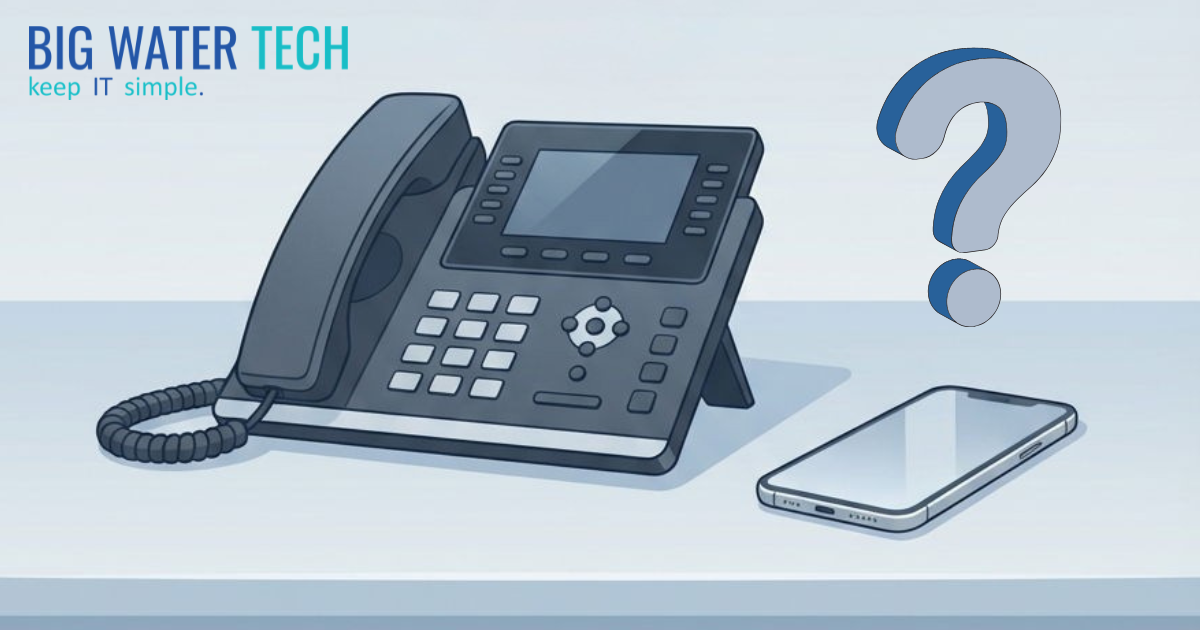
Your Business Phone System: A Strategic Decision Framework
Why the "cheapest option" mindset costs small businesses more than they realize and how to evaluate voice technology in 2026.
Why Do Small Businesses Need a Business Phone System?
Most business owners made their phone decision years ago or never made one at all. They defaulted to cell phones or kept an old system that "works fine."
The problem: defaults have hidden costs.
A business phone system gives you visibility into client calls, accountability for follow-ups, and separation between personal and business communication. Without one, you lose track of who called, whether messages were returned, and what was promised to clients.
For law firms, accounting practices, and medical offices, client communication isn't just operational: it's how you build trust. When that communication happens on scattered personal devices with no oversight, you're hoping things work out rather than knowing they do.
What Are the Hidden Costs of Cell-Phone-Only Business Communication?
Going cell-only saves a few hundred dollars monthly. But the hidden costs add up:
No visibility. You don't know who answered client calls, or if anyone did.
No accountability. Promised callbacks have no tracking. Messages disappear.
No history. Client conversations live on personal phones with no business access.
No separation. When staff leave, client relationships leave with them.
Missed revenue. Prospects who reach voicemail call the next business. You never know.
Client churn. Frustrated clients don't complain: they just leave.
Small businesses that minimize phone costs often wonder why retention is slipping or referrals dried up. The answer might be sitting in unreturned voicemails nobody knows about.
What Can AI Do for Business Phone Systems?
Modern voice technology goes beyond basic calling. Here's how to think about it:
Level 1: Communication (The Basics)
Professional business number
Voicemail with email delivery
Auto attendants and call routing
Mobile app access
Call recording
This solves most visibility and accountability problems for businesses currently using cell phones or outdated systems. You'll know who called, when, and whether someone answered.
Level 2: Awareness (Knowing What Happened)
Call transcription — conversations become searchable text
Call summaries — know what was discussed without listening to recordings
Missed-call tracking — see patterns in unanswered calls
Follow-up accountability — verify callbacks happened
This level provides data about client conversations most businesses have never had. Instead of asking "did we call them back?" you can see it.
Level 3: Intelligence (Knowing What It Means)
Sentiment analysis — detect frustrated clients before they churn
Keyword alerts — notifications when specific topics arise
Trend analysis — patterns across high call volumes
Coaching signals — training opportunities for client-facing staff
This makes sense for law firms with busy intake teams or medical practices with high call volume. For a five-person accounting firm, it's likely overkill.
When Do AI Phone Features Make Sense for Small Businesses?
AI voice features make sense when:
Call volume is high enough to generate meaningful patterns
Client communication is a competitive advantage for your business
Someone will actually use the data — reports are worthless if ignored
The cost of a mishandled call is significant — one lost client might pay for better technology
If you're a small firm where the owner answers most calls, basic features may be enough. The goal isn't buying the fanciest system, it's matching the technology to how your business actually operates.
Should Business Owners Use Personal Cell Phones for Work?
Many business owners go cell-only because it works for them personally. They're responsive, remember conversations, and clients have their direct number.
But what works for the owner often doesn't work for the business.
Different roles need different tools:
Receptionists need call routing and message tracking
Intake coordinators need follow-up accountability
Client service teams need conversation history and handoff capability
Making phone decisions based on personal use cases can cost your team the tools they need. Your receptionist can't provide great client service if they have no visibility into who's calling or what happened on previous calls.
The question isn't whether cell-only works for you. It's whether it works for everyone who talks to your clients.
How Should a Small Business Choose a Phone System?
Ask four questions:
1. Who needs what?
List everyone who handles client calls. What does each role actually require? Your needs as the owner are different from your receptionist's needs.
2. What do we need to know?
Call answer rates? Hold times? Follow-up completion? Your current setup probably can't tell you.
3. What's the client experience?
When someone calls, what happens? Professional greeting or confusing phone tree? Quick answer or endless hold?
4. What are we actually spending?
Add up cell reimbursements, old system maintenance, and random software subscriptions. The "cheap" option often isn't.
The Bottom Line
Your phone system shapes how clients experience your business.
The businesses that get this right aren't spending more: they're spending strategically. They've decided how client communication should work and built systems to support it.
The businesses that get it wrong never made a decision. They defaulted to "cheapest" or "what we've always done" and pay for it in ways they can't see.
Keep IT Simple. Make the decision. Don't let it make itself.

Ready For A No-Nonsense Approach To IT?
Hire us to set your IT strategy up for sustainable success.
Learn about our proven No-Nonsense approach.
Get an IT roadmap designed specifically for you.
Fearlessly grow your business.
Get in Touch with us!
Call us at (248) 220-7714 or or fill out the form below.
Categories
Featured Posts
Your Business Phone System: A Strategic Decision Framework
Why the "cheapest option" mindset costs small businesses more than they realize and how to evaluate voice technology in 2026.
Why Do Small Businesses Need a Business Phone System?
Most business owners made their phone decision years ago or never made one at all. They defaulted to cell phones or kept an old system that "works fine."
The problem: defaults have hidden costs.
A business phone system gives you visibility into client calls, accountability for follow-ups, and separation between personal and business communication. Without one, you lose track of who called, whether messages were returned, and what was promised to clients.
For law firms, accounting practices, and medical offices, client communication isn't just operational: it's how you build trust. When that communication happens on scattered personal devices with no oversight, you're hoping things work out rather than knowing they do.
What Are the Hidden Costs of Cell-Phone-Only Business Communication?
Going cell-only saves a few hundred dollars monthly. But the hidden costs add up:
No visibility. You don't know who answered client calls, or if anyone did.
No accountability. Promised callbacks have no tracking. Messages disappear.
No history. Client conversations live on personal phones with no business access.
No separation. When staff leave, client relationships leave with them.
Missed revenue. Prospects who reach voicemail call the next business. You never know.
Client churn. Frustrated clients don't complain: they just leave.
Small businesses that minimize phone costs often wonder why retention is slipping or referrals dried up. The answer might be sitting in unreturned voicemails nobody knows about.
What Can AI Do for Business Phone Systems?
Modern voice technology goes beyond basic calling. Here's how to think about it:
Level 1: Communication (The Basics)
Professional business number
Voicemail with email delivery
Auto attendants and call routing
Mobile app access
Call recording
This solves most visibility and accountability problems for businesses currently using cell phones or outdated systems. You'll know who called, when, and whether someone answered.
Level 2: Awareness (Knowing What Happened)
Call transcription — conversations become searchable text
Call summaries — know what was discussed without listening to recordings
Missed-call tracking — see patterns in unanswered calls
Follow-up accountability — verify callbacks happened
This level provides data about client conversations most businesses have never had. Instead of asking "did we call them back?" you can see it.
Level 3: Intelligence (Knowing What It Means)
Sentiment analysis — detect frustrated clients before they churn
Keyword alerts — notifications when specific topics arise
Trend analysis — patterns across high call volumes
Coaching signals — training opportunities for client-facing staff
This makes sense for law firms with busy intake teams or medical practices with high call volume. For a five-person accounting firm, it's likely overkill.
When Do AI Phone Features Make Sense for Small Businesses?
AI voice features make sense when:
Call volume is high enough to generate meaningful patterns
Client communication is a competitive advantage for your business
Someone will actually use the data — reports are worthless if ignored
The cost of a mishandled call is significant — one lost client might pay for better technology
If you're a small firm where the owner answers most calls, basic features may be enough. The goal isn't buying the fanciest system, it's matching the technology to how your business actually operates.
Should Business Owners Use Personal Cell Phones for Work?
Many business owners go cell-only because it works for them personally. They're responsive, remember conversations, and clients have their direct number.
But what works for the owner often doesn't work for the business.
Different roles need different tools:
Receptionists need call routing and message tracking
Intake coordinators need follow-up accountability
Client service teams need conversation history and handoff capability
Making phone decisions based on personal use cases can cost your team the tools they need. Your receptionist can't provide great client service if they have no visibility into who's calling or what happened on previous calls.
The question isn't whether cell-only works for you. It's whether it works for everyone who talks to your clients.
How Should a Small Business Choose a Phone System?
Ask four questions:
1. Who needs what?
List everyone who handles client calls. What does each role actually require? Your needs as the owner are different from your receptionist's needs.
2. What do we need to know?
Call answer rates? Hold times? Follow-up completion? Your current setup probably can't tell you.
3. What's the client experience?
When someone calls, what happens? Professional greeting or confusing phone tree? Quick answer or endless hold?
4. What are we actually spending?
Add up cell reimbursements, old system maintenance, and random software subscriptions. The "cheap" option often isn't.
The Bottom Line
Your phone system shapes how clients experience your business.
The businesses that get this right aren't spending more: they're spending strategically. They've decided how client communication should work and built systems to support it.
The businesses that get it wrong never made a decision. They defaulted to "cheapest" or "what we've always done" and pay for it in ways they can't see.
Keep IT Simple. Make the decision. Don't let it make itself.
Enroll in Our Email Course

Learn How a No-Nonsense IT Strategy Benefits Your ComBullet listpany:
Strategies to allocate your IT budget efficiently
Enhance cybersecurity defenses on a bButtonudget
Ensure your technology investments continue to serve your business as it grows
Looking to Switch?
© Copyright 2026 Big Water Tech. All Rights Reserved. Built in partnership with Tech Pro Marketing | Privacy Policy | Client Portal | Areas We Serve


