
The Most Expensive IT Problem Is the One Everyone Thinks Someone Else Owns
There is a particularly expensive sentence I hear when an important business system stops working:
“We thought they handled that.”
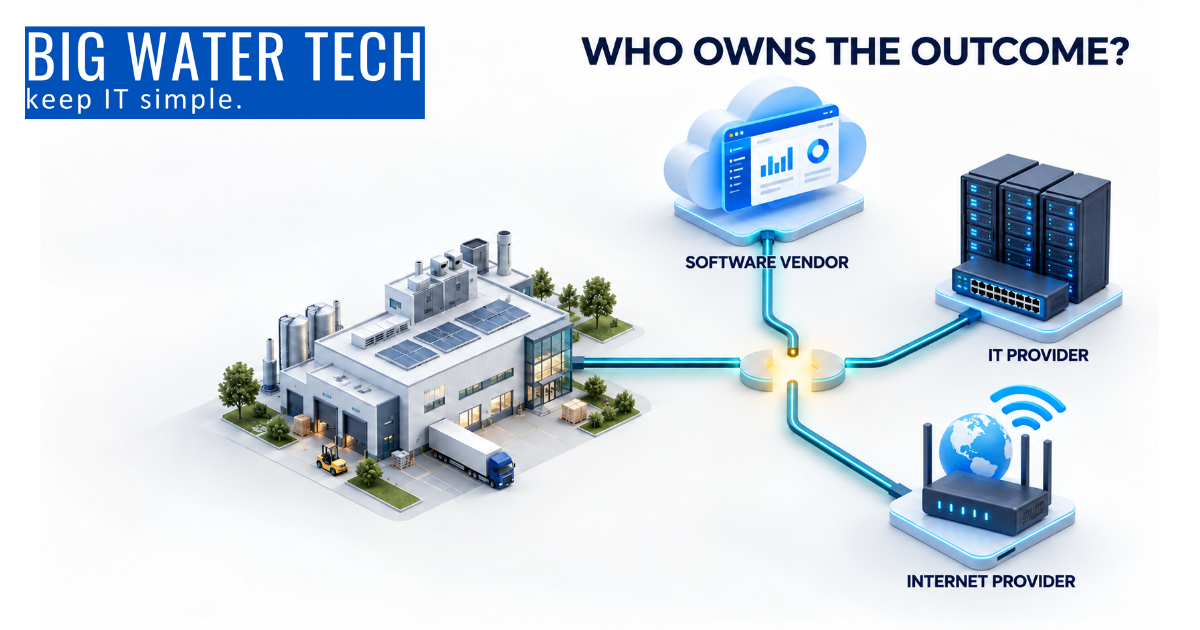
An ERP system slows down, so the software vendor says it is a server problem. The IT provider checks the server and says it is operating normally. The internet provider confirms that the connection is up.
Meanwhile, production is waiting, orders are not shipping, employees cannot work, and the owner has suddenly become the project manager for three technology companies.
The problem is not always that someone failed to do their job. Often, every vendor is doing exactly what their agreement says they are responsible for. The bigger problem is that nobody has accepted responsibility for the outcome.
What does it mean to own a technology outcome?
Owning a technology outcome means someone is responsible for keeping the entire business process working, even when several systems and vendors are involved. That person or provider coordinates troubleshooting, follows up with vendors, communicates with leadership, and stays involved until the business can operate again.
That is different from simply supporting a server, application, firewall, phone system, or internet connection.
Most Michigan businesses do not need one company to provide every piece of technology they use. They do need someone who understands how those pieces work together and who will take the lead when they do not.
Your technology environment was probably built one piece at a time
Most small and midsized businesses did not design their entire technology environment at once. They added pieces as the company grew.
A new phone system was installed here. A line-of-business application was added there. The company moved email to Microsoft 365, adopted a cloud file-sharing platform, purchased a backup solution, and kept a few machines that still depend on an older computer in the corner.
A second internet connection may have been installed several years ago, but nobody has tested whether critical systems will actually use it during an outage.
Every individual piece probably has someone who supports it. However, supporting one piece is not the same as taking responsibility for the business process that depends on all of them.
That difference usually does not become obvious until something stops working.
How unclear IT ownership affects a Michigan manufacturer
Consider a 40-person Michigan manufacturer that relies on its ERP or MRP system to receive orders, schedule production, manage inventory, create shipping documents, and invoice customers.
A single order might pass through:
The company’s internet connection
Its network and servers
The ERP or MRP application
Shop-floor computers or tablets
Production equipment
Shipping software
Customer or supplier portals
The company may have a separate provider supporting each part of that process. When everything is working, that arrangement may seem perfectly reasonable.
When production stops, it can become a different story.
The equipment vendor says the machine is not receiving the correct information from the ERP system. The ERP vendor says its application is running and suggests checking the network. The IT provider says the network is operating normally. Each vendor may be technically correct, but that does not help the plant manager get the next order out the door.
Someone must own the coordination. Someone must collect the evidence, bring the vendors together, communicate with leadership, and stay on the issue until production resumes.
If nobody has that responsibility, the owner, general manager, plant manager, or controller usually inherits it.
That is an expensive use of their time, especially when every hour of delay affects labor, throughput, shipping commitments, and customer relationships.
The same problem exists in professional firms and medical practices
Technology ownership gaps are not limited to manufacturing.
An accounting firm may depend on tax software, document management, Microsoft 365, client portals, scanners, payroll applications, and cloud backup. During tax season, a failure between two of those systems can leave employees unable to access client records or complete returns.
A law firm may have email, practice management software, document storage, court filing systems, timekeeping, billing, and secure client communication platforms. Each system may work independently while an integration failure prevents attorneys and staff from completing the workflow.
A medical practice may rely on its electronic health record system, billing platform, scheduling software, diagnostic equipment, internet service, phones, and cloud applications. When those systems stop communicating, the result may be delayed appointments, inaccessible patient information, billing problems, and frustrated patients.
In each case, the business does not care which vendor’s component is technically working. The business cares whether employees can serve clients, patients, and customers.
Unclear ownership also creates cybersecurity gaps
Technology ownership gaps do more than cause downtime. They can also leave vulnerabilities unresolved.
According to the 2026 Verizon Data Breach Investigations Report, 31% of breaches began with the exploitation of software vulnerabilities. For the first time in the report’s 19-year history, vulnerability exploitation surpassed stolen credentials as the leading initial point of entry.
That does not automatically mean businesses are refusing to install updates. In some cases, the problem is much simpler.
The software vendor assumes the customer or IT provider is responsible for updating the server. The IT provider cannot update the application without the software vendor’s approval. The equipment vendor warns that an operating system update could affect the machine. Everyone waits for someone else to make the decision.
The vulnerability remains open.
This happens frequently with older line-of-business applications, manufacturing equipment, specialty medical systems, accounting software, and other platforms that sit between traditional IT and an outside vendor.
Without documented ownership, important questions go unanswered:
Who monitors the system for newly discovered vulnerabilities?
Who determines whether an update is required?
Who tests whether the update will affect the application or equipment?
Who schedules the work around production, patient care, or client deadlines?
Who verifies that the update was successfully completed?
Who documents the decision if the system cannot be updated?
Cyber insurance applications, customer security questionnaires, HIPAA requirements, IRS Publication 4557, CIS Controls, NIST CSF, and CMMC-related expectations all make those questions more important. “We assumed the vendor handled it” is unlikely to satisfy an insurer, auditor, customer, or regulator after an incident.
Who is responsible when multiple IT vendors are involved?
The responsibility should be documented before an outage or cybersecurity incident occurs.
Your IT provider may not be able to repair proprietary ERP software, reprogram manufacturing equipment, or modify an electronic health record system. However, a Technology Success Partner should still be able to coordinate the response, gather technical information, work with the appropriate vendors, and keep the business informed.
You do not necessarily need one vendor to control everything. You need one clearly identified owner for the outcome.
For most small and midsized businesses, that means establishing:
A list of critical systems and the business processes they support
A primary owner for each system
Clear responsibilities for internal staff, the IT provider, and outside vendors
Documented escalation contacts
Update, backup, and security responsibilities
Recovery procedures if the system cannot be restored quickly
A regular process for testing those procedures
Without that structure, vendor management becomes reactive. The first time everyone discusses responsibility is often while the business is already losing time and money.
Three questions to ask about every critical business system
Start with the systems your business cannot operate without. For each one, ask these three questions.
1. Who owns keeping the system operational?
This is not simply a question of who answers the support line.
Who monitors the system, maintains the underlying technology, coordinates with its vendors, and makes sure smaller issues are addressed before they become larger ones? If the application, server, network, or internet connection fails, who leads the response?
There should be one clear answer, even if several companies participate in the solution.
2. Who owns the updates, backups, and security?
Do not assume the software vendor updates the server. Do not assume your IT provider can safely patch every specialized application. Do not assume information stored in a cloud application is included in your normal backup.
These responsibilities should be documented and periodically verified.
For every critical system, confirm:
Who installs application updates?
Who updates the operating system?
Who monitors for vulnerabilities?
What data is backed up?
How frequently is it backed up?
Who reviews backup failures?
When was the last successful recovery test?
Who manages user access and removes former employees?
Who retains the required documentation?
A backup report showing “successful” is helpful, but it does not prove that the system can be restored within the time your business requires.
3. What happens if the system cannot be fixed quickly?
Every business has a limit to how long it can operate without a critical system. The important question is whether leadership knows what that limit is and has a workable alternative.
Can a manufacturer continue production or shipping manually? Can an accounting firm access the client information needed to meet a filing deadline? Can a law firm retrieve documents before a court appearance? Can a medical practice continue seeing patients and record the necessary information securely?
A business continuity plan does not need to begin as a large binder full of policies. It can begin with practical answers to a few questions:
How long can we operate without this system?
What work can continue?
What work must stop?
What manual process will we use?
Who makes the decision to activate that process?
How will employees communicate if email or phones are unavailable?
When did we last test the plan?
If the alternative process has never been tested, it is still an assumption.
How can a business eliminate gaps between technology vendors?
Begin with a critical systems ownership review.
At your next leadership meeting, identify the three systems that would cause the greatest disruption if they stopped working tomorrow morning. For each system, document the business owner, technical owner, outside vendors, dependencies, backup method, recovery expectations, and escalation process.
Then look for unclear or conflicting answers.
If the software vendor believes your IT provider performs updates, confirm that with the IT provider. If your IT provider believes the cloud vendor backs up your data, verify what the cloud vendor actually retains and whether it can restore what your business needs. If your secondary internet connection is supposed to keep the business operating, test it under realistic conditions.
The objective is not to produce more paperwork. It is to remove assumptions before those assumptions become expensive.
Your IT provider should understand the business outcome
A good technology relationship is not measured only by whether individual devices are online. It is measured by whether the technology supports the way the business operates.
For a manufacturer, that may mean keeping production, inventory, shipping, and customer systems connected across every shift. For an accounting or law firm, it may mean protecting confidential client information while keeping documents and applications available. For a medical practice, it may mean maintaining secure access to patient information, scheduling, billing, and communications.
That requires more than reacting to support tickets. It requires regular business reviews, technology planning, risk discussions, vendor coordination, and a clear understanding of which systems matter most.
At Big Water Technologies, we call that being a Technology Success Partner. Our role is not simply to support individual pieces of technology. It is to help Michigan businesses understand how those pieces support operations, where responsibilities overlap, and what needs to happen when something goes wrong.
Because when an important system goes down, “we thought they handled that” is not much of a recovery plan.
Frequently Asked Questions
What is IT ownership?
IT ownership is the clear assignment of responsibility for maintaining, securing, supporting, and recovering a technology system. It should include both the technical component and the business process that depends on it.
Who should coordinate multiple technology vendors?
A designated internal technology leader or qualified managed IT provider should coordinate the vendors. That coordinator does not need to repair every system personally, but should own communication, troubleshooting, escalation, and follow-through.
Is a software vendor responsible for backups and security updates?
Not necessarily. Some software vendors update only their application and do not maintain the server, operating system, user accounts, or backups. Their responsibilities should be confirmed in writing instead of assumed.
Does Microsoft 365 or another cloud provider automatically back up all business data?
Cloud platforms typically include some retention and recovery capabilities, but these may not meet the company’s recovery, retention, legal, or compliance requirements. Businesses should verify what is protected and consider a separate cloud backup solution.
What systems should be included in a critical technology review?
Include any system whose failure could stop production, delay shipping, prevent employees from serving clients or patients, interrupt billing, expose protected information, or create a contractual or compliance problem.
How often should IT responsibilities be reviewed?
Critical system ownership should be reviewed at least annually and whenever the business adds a new application, changes vendors, opens a location, replaces equipment, or changes an important workflow.
How can Big Water Technologies help?
Big Water Technologies helps small and midsized Michigan businesses identify critical systems, document responsibilities, coordinate vendors, improve cybersecurity, and create practical continuity plans. The goal is to keep technology aligned with the business and eliminate costly gaps before an outage or security incident exposes them.

Ready For A No-Nonsense Approach To IT?
Hire us to set your IT strategy up for sustainable success.
Learn about our proven No-Nonsense approach.
Get an IT roadmap designed specifically for you.
Fearlessly grow your business.
Get in Touch with us!
Call us at (248) 220-7714 or or fill out the form below.
Categories
Featured Posts
The Most Expensive IT Problem Is the One Everyone Thinks Someone Else Owns
There is a particularly expensive sentence I hear when an important business system stops working:
“We thought they handled that.”
An ERP system slows down, so the software vendor says it is a server problem. The IT provider checks the server and says it is operating normally. The internet provider confirms that the connection is up.
Meanwhile, production is waiting, orders are not shipping, employees cannot work, and the owner has suddenly become the project manager for three technology companies.
The problem is not always that someone failed to do their job. Often, every vendor is doing exactly what their agreement says they are responsible for. The bigger problem is that nobody has accepted responsibility for the outcome.
What does it mean to own a technology outcome?
Owning a technology outcome means someone is responsible for keeping the entire business process working, even when several systems and vendors are involved. That person or provider coordinates troubleshooting, follows up with vendors, communicates with leadership, and stays involved until the business can operate again.
That is different from simply supporting a server, application, firewall, phone system, or internet connection.
Most Michigan businesses do not need one company to provide every piece of technology they use. They do need someone who understands how those pieces work together and who will take the lead when they do not.
Your technology environment was probably built one piece at a time
Most small and midsized businesses did not design their entire technology environment at once. They added pieces as the company grew.
A new phone system was installed here. A line-of-business application was added there. The company moved email to Microsoft 365, adopted a cloud file-sharing platform, purchased a backup solution, and kept a few machines that still depend on an older computer in the corner.
A second internet connection may have been installed several years ago, but nobody has tested whether critical systems will actually use it during an outage.
Every individual piece probably has someone who supports it. However, supporting one piece is not the same as taking responsibility for the business process that depends on all of them.
That difference usually does not become obvious until something stops working.
How unclear IT ownership affects a Michigan manufacturer
Consider a 40-person Michigan manufacturer that relies on its ERP or MRP system to receive orders, schedule production, manage inventory, create shipping documents, and invoice customers.
A single order might pass through:
The company’s internet connection
Its network and servers
The ERP or MRP application
Shop-floor computers or tablets
Production equipment
Shipping software
Customer or supplier portals
The company may have a separate provider supporting each part of that process. When everything is working, that arrangement may seem perfectly reasonable.
When production stops, it can become a different story.
The equipment vendor says the machine is not receiving the correct information from the ERP system. The ERP vendor says its application is running and suggests checking the network. The IT provider says the network is operating normally. Each vendor may be technically correct, but that does not help the plant manager get the next order out the door.
Someone must own the coordination. Someone must collect the evidence, bring the vendors together, communicate with leadership, and stay on the issue until production resumes.
If nobody has that responsibility, the owner, general manager, plant manager, or controller usually inherits it.
That is an expensive use of their time, especially when every hour of delay affects labor, throughput, shipping commitments, and customer relationships.
The same problem exists in professional firms and medical practices
Technology ownership gaps are not limited to manufacturing.
An accounting firm may depend on tax software, document management, Microsoft 365, client portals, scanners, payroll applications, and cloud backup. During tax season, a failure between two of those systems can leave employees unable to access client records or complete returns.
A law firm may have email, practice management software, document storage, court filing systems, timekeeping, billing, and secure client communication platforms. Each system may work independently while an integration failure prevents attorneys and staff from completing the workflow.
A medical practice may rely on its electronic health record system, billing platform, scheduling software, diagnostic equipment, internet service, phones, and cloud applications. When those systems stop communicating, the result may be delayed appointments, inaccessible patient information, billing problems, and frustrated patients.
In each case, the business does not care which vendor’s component is technically working. The business cares whether employees can serve clients, patients, and customers.
Unclear ownership also creates cybersecurity gaps
Technology ownership gaps do more than cause downtime. They can also leave vulnerabilities unresolved.
According to the 2026 Verizon Data Breach Investigations Report, 31% of breaches began with the exploitation of software vulnerabilities. For the first time in the report’s 19-year history, vulnerability exploitation surpassed stolen credentials as the leading initial point of entry.
That does not automatically mean businesses are refusing to install updates. In some cases, the problem is much simpler.
The software vendor assumes the customer or IT provider is responsible for updating the server. The IT provider cannot update the application without the software vendor’s approval. The equipment vendor warns that an operating system update could affect the machine. Everyone waits for someone else to make the decision.
The vulnerability remains open.
This happens frequently with older line-of-business applications, manufacturing equipment, specialty medical systems, accounting software, and other platforms that sit between traditional IT and an outside vendor.
Without documented ownership, important questions go unanswered:
Who monitors the system for newly discovered vulnerabilities?
Who determines whether an update is required?
Who tests whether the update will affect the application or equipment?
Who schedules the work around production, patient care, or client deadlines?
Who verifies that the update was successfully completed?
Who documents the decision if the system cannot be updated?
Cyber insurance applications, customer security questionnaires, HIPAA requirements, IRS Publication 4557, CIS Controls, NIST CSF, and CMMC-related expectations all make those questions more important. “We assumed the vendor handled it” is unlikely to satisfy an insurer, auditor, customer, or regulator after an incident.
Who is responsible when multiple IT vendors are involved?
The responsibility should be documented before an outage or cybersecurity incident occurs.
Your IT provider may not be able to repair proprietary ERP software, reprogram manufacturing equipment, or modify an electronic health record system. However, a Technology Success Partner should still be able to coordinate the response, gather technical information, work with the appropriate vendors, and keep the business informed.
You do not necessarily need one vendor to control everything. You need one clearly identified owner for the outcome.
For most small and midsized businesses, that means establishing:
A list of critical systems and the business processes they support
A primary owner for each system
Clear responsibilities for internal staff, the IT provider, and outside vendors
Documented escalation contacts
Update, backup, and security responsibilities
Recovery procedures if the system cannot be restored quickly
A regular process for testing those procedures
Without that structure, vendor management becomes reactive. The first time everyone discusses responsibility is often while the business is already losing time and money.
Three questions to ask about every critical business system
Start with the systems your business cannot operate without. For each one, ask these three questions.
1. Who owns keeping the system operational?
This is not simply a question of who answers the support line.
Who monitors the system, maintains the underlying technology, coordinates with its vendors, and makes sure smaller issues are addressed before they become larger ones? If the application, server, network, or internet connection fails, who leads the response?
There should be one clear answer, even if several companies participate in the solution.
2. Who owns the updates, backups, and security?
Do not assume the software vendor updates the server. Do not assume your IT provider can safely patch every specialized application. Do not assume information stored in a cloud application is included in your normal backup.
These responsibilities should be documented and periodically verified.
For every critical system, confirm:
Who installs application updates?
Who updates the operating system?
Who monitors for vulnerabilities?
What data is backed up?
How frequently is it backed up?
Who reviews backup failures?
When was the last successful recovery test?
Who manages user access and removes former employees?
Who retains the required documentation?
A backup report showing “successful” is helpful, but it does not prove that the system can be restored within the time your business requires.
3. What happens if the system cannot be fixed quickly?
Every business has a limit to how long it can operate without a critical system. The important question is whether leadership knows what that limit is and has a workable alternative.
Can a manufacturer continue production or shipping manually? Can an accounting firm access the client information needed to meet a filing deadline? Can a law firm retrieve documents before a court appearance? Can a medical practice continue seeing patients and record the necessary information securely?
A business continuity plan does not need to begin as a large binder full of policies. It can begin with practical answers to a few questions:
How long can we operate without this system?
What work can continue?
What work must stop?
What manual process will we use?
Who makes the decision to activate that process?
How will employees communicate if email or phones are unavailable?
When did we last test the plan?
If the alternative process has never been tested, it is still an assumption.
How can a business eliminate gaps between technology vendors?
Begin with a critical systems ownership review.
At your next leadership meeting, identify the three systems that would cause the greatest disruption if they stopped working tomorrow morning. For each system, document the business owner, technical owner, outside vendors, dependencies, backup method, recovery expectations, and escalation process.
Then look for unclear or conflicting answers.
If the software vendor believes your IT provider performs updates, confirm that with the IT provider. If your IT provider believes the cloud vendor backs up your data, verify what the cloud vendor actually retains and whether it can restore what your business needs. If your secondary internet connection is supposed to keep the business operating, test it under realistic conditions.
The objective is not to produce more paperwork. It is to remove assumptions before those assumptions become expensive.
Your IT provider should understand the business outcome
A good technology relationship is not measured only by whether individual devices are online. It is measured by whether the technology supports the way the business operates.
For a manufacturer, that may mean keeping production, inventory, shipping, and customer systems connected across every shift. For an accounting or law firm, it may mean protecting confidential client information while keeping documents and applications available. For a medical practice, it may mean maintaining secure access to patient information, scheduling, billing, and communications.
That requires more than reacting to support tickets. It requires regular business reviews, technology planning, risk discussions, vendor coordination, and a clear understanding of which systems matter most.
At Big Water Technologies, we call that being a Technology Success Partner. Our role is not simply to support individual pieces of technology. It is to help Michigan businesses understand how those pieces support operations, where responsibilities overlap, and what needs to happen when something goes wrong.
Because when an important system goes down, “we thought they handled that” is not much of a recovery plan.
Frequently Asked Questions
What is IT ownership?
IT ownership is the clear assignment of responsibility for maintaining, securing, supporting, and recovering a technology system. It should include both the technical component and the business process that depends on it.
Who should coordinate multiple technology vendors?
A designated internal technology leader or qualified managed IT provider should coordinate the vendors. That coordinator does not need to repair every system personally, but should own communication, troubleshooting, escalation, and follow-through.
Is a software vendor responsible for backups and security updates?
Not necessarily. Some software vendors update only their application and do not maintain the server, operating system, user accounts, or backups. Their responsibilities should be confirmed in writing instead of assumed.
Does Microsoft 365 or another cloud provider automatically back up all business data?
Cloud platforms typically include some retention and recovery capabilities, but these may not meet the company’s recovery, retention, legal, or compliance requirements. Businesses should verify what is protected and consider a separate cloud backup solution.
What systems should be included in a critical technology review?
Include any system whose failure could stop production, delay shipping, prevent employees from serving clients or patients, interrupt billing, expose protected information, or create a contractual or compliance problem.
How often should IT responsibilities be reviewed?
Critical system ownership should be reviewed at least annually and whenever the business adds a new application, changes vendors, opens a location, replaces equipment, or changes an important workflow.
How can Big Water Technologies help?
Big Water Technologies helps small and midsized Michigan businesses identify critical systems, document responsibilities, coordinate vendors, improve cybersecurity, and create practical continuity plans. The goal is to keep technology aligned with the business and eliminate costly gaps before an outage or security incident exposes them.
Enroll in Our Email Course

Learn How a No-Nonsense IT Strategy Benefits Your ComBullet listpany:
Strategies to allocate your IT budget efficiently
Enhance cybersecurity defenses on a bButtonudget
Ensure your technology investments continue to serve your business as it grows

Looking to Switch?
© Copyright 2026 Big Water Tech. All Rights Reserved. Built in partnership with Tech Pro Marketing | Privacy Policy | Client Portal | Areas We Serve


