
Detroit's Trusted & Reliable IT Support Provider
For Small & Mid-Size Businesses
As a trusted MSP serving Southfield, Detroit, and the surrounding areas, Big Water Tech delivers expert business Outsourced IT Support, proactive cybersecurity, 24/7 help desk, and seamless BIGVoice VoIP phone systems. We take IT off your plate so you can focus on growing your business with confidence and peace of mind.


Schedule a Call
Schedule a 30-minute call to see if we are a good fit to help your business.

Your Neighborhood Technology Success partner

Tress Saunders
Client Success Coordinator

Jennifer Shubow
Senior Sales Executive

Beverly Ames
Carrier Services Manager

Lisa Sariol
Manager of Operations

Robert Shubow
President

John Lowery
CEO

Marc Landau
IT Director

Bill Hickey
Client Services Manager

Glen Adams
Project Coordinator
Why Detroit Businesses Choose Big Water Technologies
Comprehensive IT Solutions
Big Water Technologies offers tailored business IT support solutions covering managed services, business phone systems, cybersecurity, cloud services, and more.
Security and Compliance Experts
We’re security and compliance experts for Detroit businesses: a Cyber AB Registered Practitioner for CMMC, and techrug DFIR certified, recognized by certain underwriters at Lloyd’s.
Exceptional Customer Service
Our team has been in the industry since the 1970s - allowing us to offer you informed, strategic insight while maintaining a high level of customer service.
Commitment to Client Success
You're far too busy to worry about technology and tech problems. That's why your success is our success. We make IT work for you - so you can drive growth, productivity, and have peace of mind.
Client Success Stories

We currently use Big Water for our managed phone service and they are great! We have had issue with managed phone service providers in the past but Jenn is super responsive when we have an issue or need a new line added or removed. I would not hesitate to recommend Big Water for managed phone services, low voltage or other technology needs!
COLLEEN BUDDE
Franchise Owner at Office Evolution Troy
Our Clients Say It Best
We’re proud to earn top marks from our clients through Crewhu’s customer feedback program. Every response helps us improve - and confirms that our team is making a real difference through responsive, friendly, and effective IT support. When our clients succeed, we succeed - and that’s what drives everything we do.
Is Your Technology Getting in the Way of Running Your Business?
You’re not alone, and it doesn’t have to be this complicated.

John Lowery
CEO, Big Water Tech
Big Water Tech is Here to Help Keep IT Simple with Our Reliable IT Support.
At BigWater Technologies, safeguarding the integrity and security of your IT system is non-negotiable. We're dedicated to optimizing your technology to enhance efficiency and power.
Feel like you’ve been down this road before?
If you've felt burned by managed services providers in the past, rest assured, we prioritize fostering lasting client relationships over maximizing profits. Our focus is on maximizing the potential of your current IT infrastructure while keeping costs in check – possibly even reducing them.
Contact us at (248) 220-7714 to kick-start crucial IT discussions tailored to businesses like yours. Let's redefine your IT experience together.
Schedule an Appointment Today
As Your Technology Success Partner,
We're Here to Help You Drive Growth With Our Services:

Simplified IT Management
BIGview offers proactive corporate IT support and IT management services of technology assets on a subscription basis.

VoIP & Hybrid Phone Systems
Desktop & Mobile App, as well as Service Management with flexible VoIP service.

Vendor Neutral Management
We provide a thorough needs assessment, available provider review, order management, issue management, and regular bill reviews.

Comprehensive Equipment Support
We take care of your network security, switching, WiFi, servers, computers, video conferencing, and more.

Installation & Support
Low voltage cabling, paging, and camera systems designed to fit the needs of your team.

Ongoing Evaluation and Planning
Stay focused on the success of your company with regular proactive business reviews.

Protect Your Business from Cyber Threats
Proactive monitoring, threat detection, and compliance-focused security solutions that safeguard your systems, data, and operations around the clock. Our BIGshare solution is HIPAA and PCI compliant, built for healthcare, legal, and financial services businesses.

Responsive User Assistance
Fast, reliable technical support that resolves user issues, reduces downtime, and keeps your team productive.

Empower Work, Anywhere, Anytime
Streamline collaboration, enhance productivity, and secure your business with expert Microsoft 365 setup, management, and ongoing support.

Scale Smarter, Operate Anywhere
Optimize performance, enhance flexibility, and reduce costs with secure, scalable cloud solutions tailored to your business needs.
What Clients Say About Us
Delivering exceptional customer service is at the heart of our IT management support services. Discover why businesses in Detroit rely on Big Water Tech for dependable IT and computer support.
Excellent Response
They have been our IT support for a number of years and we have always had excellent response for any issues we were having. We currently going through the process of setting us up for more Cyber Security and eliminating the use of a server. They are bringing us up to date with all our computer needs. Their staff is very helpful.

Sharon Pare
Great Experience
We have been using Big Water for managed Services and Support for the past 5-7 years and have had great experience with everything from New Purchase, to Support, to their proactiveness to help us protect our systems. I highly recommend this company for your IT needs.

Alan Borsen
Highly Recommend Their Services
The folks of Big Water are super supportive and helpful. And they thoroughly seem to enjoy find their customers huge savings. Their accurate in their communication and prompt to follow through with any promises. Highly recommend their services.

Korienna Cox
Amazing Company to Work With
Big Water Tech is an amazing company to work with. They are always available to handle any issues or problems that we are having in a timely manner.

Samantha Johnson
Always There
Thanks team! Your Big Water Technologies phone system helps me a lot to serve our customers. I also really appreciate that when I need your help, you are always there!

David Steighner
Solid Team of Professionals
BWT has done such a great job for us, it makes declining solicitor calls from competing companies easy work. BWT has a solid team of professionals that fully address any issue or concern that might arise during the daily course of our business. We are very satisfied with their service and intend to continue our relationship far into the future.

Adam Cowan
Quick to Respond
Big Water Technologies/IT Support Service is a great company! They are quick to respond and to get our questions answered. They are quick to come to our office and accurately do the job we need. If you need a great technology company for all your IT and Phone services - Call Big Water Technologies!

Cathy Bouford
Managing Your Security Has Never Been Simpler

Discover Your Cyber Score
Start by assessing your Cyber Score to understand your business’s online security. This score provides clarity, replacing uncertainty with insight, so you know exactly where you stand and what needs improvement.

Create Your Cyber Roadmap
Use your Cyber Score to develop a clear, actionable Cyber Roadmap. This plan highlights vulnerabilities and provides precise steps to strengthen your security, saving you time and resources. Schedule a meeting with Big Water Tech so we can help you create a clear, strategic path to cyber resilience.

Enhance Your Security
Put your Roadmap into action with a step-by-step approach to stronger protection. Demonstrate your commitment to safeguarding customer data while equipping your IT team with a focused, cost-effective security strategy.
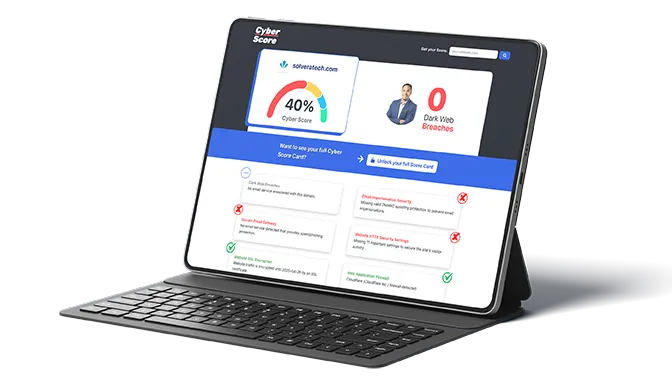
Want to see your Free Cybersecurity Score?
Get it in 30 seconds!
Stay Ahead with Big Water Tech Insights
IT Wisdom Worth Reading for Growing Businesses
Our blog shares practical guidance, expert takes, and real-world lessons drawn from the front lines of IT services & solutions. Stay informed, stay protected, and make smarter decisions for your business or organization.
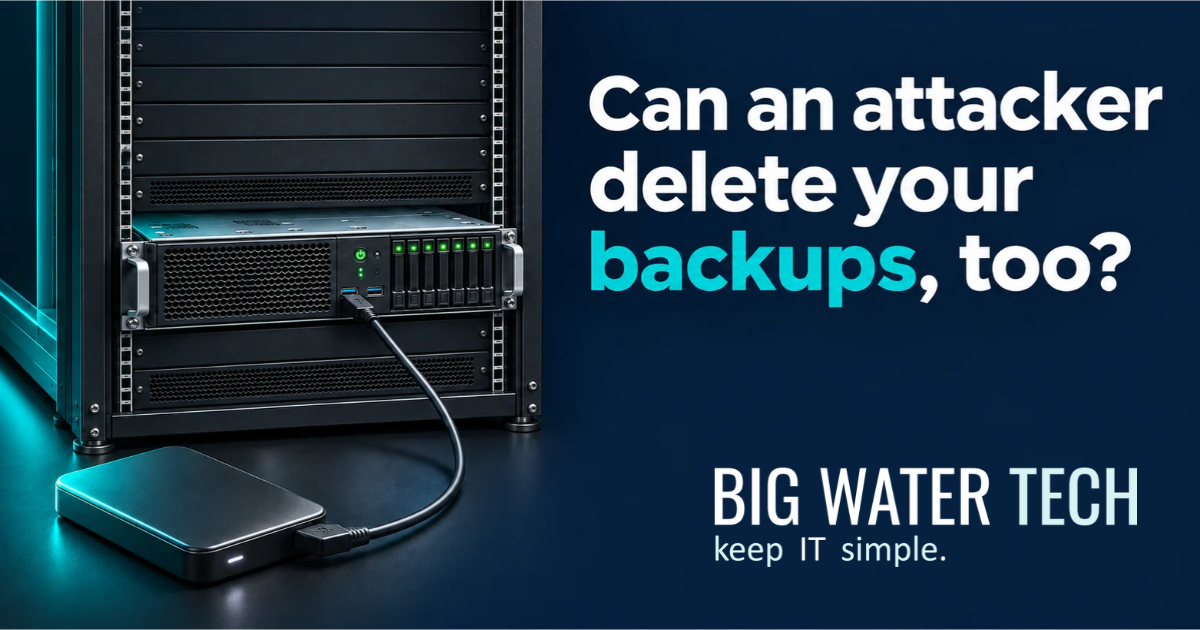
Immutable Backups and Cyber Insurance: What Business Owners Need to Know
Immutable backups are backup copies locked against changes or deletion for a defined period. Cyber insurance applications ask about them because ransomware attackers target backups as well as working data. A recovery copy that survives the attack gives your business a way to restore operations.
For an owner or managing partner, the question is whether the company can recover after someone gains access to its systems. That includes the backups themselves.
An external drive plugged into the server answers a different question. It shows you have somewhere to put another copy. Whether that copy survives an attack takes more investigation.
Why do cyber liability insurance applications ask about immutable backups?
Cyber insurers ask about immutable backups to assess how well a business can recover when an attacker attempts to destroy its data.
This is already reflected in carrier applications. At-Bay’s Technology & Cyber renewal application asks whether critical backup copies are immutable during their retention window. Markel’s Cyber 360 supplemental application asks about immutability and restore testing.
The practical concern is recovery. Losing access to your accounting system is disruptive. Discovering that the attacker also deleted the backups makes the problem much harder to resolve.
An application asking about immutability is asking about a specific protection. Answering “we back up every night” does not establish that protection. Requirements differ by carrier and policy, so have your IT team verify the actual configuration against the application’s wording.
What is an immutable backup?
An immutable backup is a copy that cannot be altered or deleted during its enforced retention period. For example, a backup locked for 30 days protects that copy throughout the lock period.
Your provider should be able to identify which copies are locked and explain whether an administrator can override the protection. Buying software that supports immutability does not mean it has been enabled.
Immutability also preserves what was copied. If a backup contains corrupted files, locking it does not repair them. You still need enough backup history to return to a usable point before the damage occurred.
What is the difference between immutable and air-gapped backups?
Immutability prevents changes to a backup. Air gapping isolates the backup from the systems being protected. A backup design can use both protections.
Protection | What it does | Example |
|---|---|---|
Immutable backup | Locks a backup against modification or deletion for a defined period. | A backup copy with an enforced 30-day retention lock. |
Physical air gap | Removes the network connection to the backup media. | A completed backup on disconnected media stored securely. |
Logical air gap | Uses enforced security boundaries to isolate backups while permitting controlled access. | A cloud backup vault isolated in a separate service-owned account. |
These labels describe different controls. Ask what would happen to each recovery copy if an attacker gained control of your normal administrator account.
Are cloud backups automatically immutable or air-gapped?
No. Sending a backup to the cloud establishes where it is stored. The service’s architecture and configuration determine how it is protected.
Some cloud backup services combine retention locks with logical isolation. AWS’s logically air-gapped vault, for example, stores backups in a service-owned account and uses a compliance-mode lock.
Have your provider explain what prevents deletion and how recovery works if your normal accounts become unavailable. Confirm who controls the encryption keys needed to restore.
A separate cloud location has limited value against an attacker who can use stolen credentials to delete every recovery copy.
Is an external hard drive connected to a server a safe backup strategy?
An ordinary writable external drive left connected to a server is insufficient as the business’s only backup protection. Malware with the necessary access can affect attached storage, leaving the working data and backup exposed to the same incident.
Disconnecting the drive removes that direct connection. Storing it securely offsite also protects against damage at the office.
Taking a drive offsite is a legitimate precaution. The weakness is relying entirely on a manual routine. Someone has to verify that the backup completed and rotate the drives consistently. Sensitive information also needs protection during transport and storage.
If the last drive went home Friday, what happens to the work completed Monday and Tuesday? If the person carrying it is unavailable, who retrieves it?
I would want those answers before making that routine the company’s entire recovery plan.
Does Microsoft 365 need to be included in the backup plan?
Yes. The recovery plan needs to account for business data in Microsoft 365 and confirm whether the available recovery capabilities meet your requirements.
Microsoft provides recovery features and offers Microsoft 365 Backup. Its documentation distinguishes service disaster recovery from restoring earlier healthy data. It also explains that version history has limitations for recovery at the scale of a ransomware incident.
Have your IT team identify the protected mailboxes and file locations, including SharePoint files accessed through Teams. Confirm retention and test the recovery process. Evaluate Microsoft’s backup service or a suitable third-party service against those needs.
“It’s in Microsoft 365” is not a complete answer to “how do we recover it?”
Are financial files more secure when stored locally?
No. Keeping financial files on a local computer does not automatically make them more secure. Security depends on the controls protecting the device and information, together with reliable recovery arrangements.
Consider a bookkeeper who keeps the working financial file in a local folder because it feels safer. The business backs up its server and Microsoft 365, but that folder is excluded.
The company now has important information outside its backup coverage. A failed drive threatens that file, even without a cyberattack.
For a Michigan manufacturer, that file might support payroll. For a professional services firm, it might contain the current billing reconciliation. Its importance does not change because someone saved it on a desktop.
Move it into an approved, protected location or explicitly include that local folder in managed backup coverage. Verify the result with a restore.
What should a business verify before answering insurance backup questions?
Have your IT team document the actual backup coverage and recovery process. Use the carrier’s application to guide the review.
Management question | Evidence to request |
|---|---|
What business information is covered? | An inventory that accounts for Microsoft 365 and locally stored data, alongside critical systems. |
Which copies are immutable? | The enabled retention settings and an explanation of any administrative override. |
What survives compromised administrator credentials? | The backup isolation and access controls, including the recovery access process. |
How much work would we lose? | The age of the latest usable recovery point for each critical system. |
How long would recovery take? | Restore-test results that include the applications needed to resume work. |
Clarify ambiguous application language. Your IT team should verify the technical answers using the settings actually in place.
Common questions about immutable backups and cyber insurance
Does every cyber insurance policy require immutable backups?
No universal requirement applies to every policy. Some applications explicitly ask about immutability. Confirm your carrier’s requirements using the application and policy documents with your broker.
Does encryption make a backup immutable?
No. Encryption protects the confidentiality of backup data. Immutability prevents modification or deletion during the retention lock. An encrypted backup still needs protection against destruction.
Does having immutable backups guarantee recovery from ransomware?
No. You need a usable recovery point and a tested process for restoring the required systems. Protected backups also do not reverse the theft of confidential information.
How long should immutable backups be retained?
The retention period should reflect your business’s recovery needs and how far back you need to recover, alongside applicable obligations. Have your IT team explain the chosen period and how it handles damage discovered after a delay.
At Big Water Technologies, we help Michigan businesses review backup coverage, including Microsoft 365 and information stored locally. If your next cyber insurance application asks about immutable backups, we can help verify what is in place and identify the gaps.
I would want that review to include the financial file on the bookkeeper’s computer. That is exactly the kind of information a business discovers it needed after the server backup has already been restored.

Frequently Asked Questions
What does an MSP (Managed Services Provider) do?
An MSP proactively monitors, maintains, and secures your IT environment so your business runs smoothly. Big Water Tech handles backups, patching, help desk support, and cloud services, giving you predictable costs, faster response times, and a reliable technology success partner focused on your success across Detroit.
Why choose a local MSP in Southfield and Detroit?
Choosing a local MSP means faster on‑site support, better understanding of regional business needs, and more personalized service. Big Water Technologies is a Southfield‑based Technology Success Partner that serves Detroit, offering managed IT services, cloud solutions, VoIP, and IT consulting that align with your local operations and growth goals.
How does Big Water Technologies’ BIGVoice VoIP phone system work?
Big Water Technologies’ BIGVoice business VoIP phone system uses the internet to deliver voice calls, conferencing, and advanced features across your office and remote teams. It integrates with your existing IT environment, scales with your business, and reduces phone‑line costs while improving reliability and communication tools for your Metro Detroit‑area organization.
How does Big Water Tech approach cybersecurity?
Big Water Tech takes a proactive, layered approach to cybersecurity, combining threat monitoring, endpoint protection, secure backups, and employee training. We assess your unique risks, implement tailored defenses, and continuously update your security posture to protect data, systems, and compliance across your Detroit organization.
What are the benefits of outsourcing IT support and services?
Outsourcing IT support gives you access to expert resources without the overhead of an in‑house team. With Big Water Tech, you gain faster response times, reliable help desk support, scalable cloud solutions, and stronger cybersecurity, so your Detroit business stays agile, secure, and focused on growth.
Take IT Off Your Plate...
Spend less time on IT problems and more time growing your business. Let’s get to know each other and determine how our partnership could grow. With us as your trusted MSP on your side, you can develop a strong barrier against cybercrime, stronger communication strategies, and a better technology plan for the future.
Call (248) 220-7714 today or fill out the form below to schedule your appointment. We’re ready to jumpstart your IT journey.

Looking to Switch?
© Copyright 2026 Big Water Tech. All Rights Reserved. Built in partnership with Tech Pro Marketing | Privacy Policy | Client Portal | Areas We Serve


